
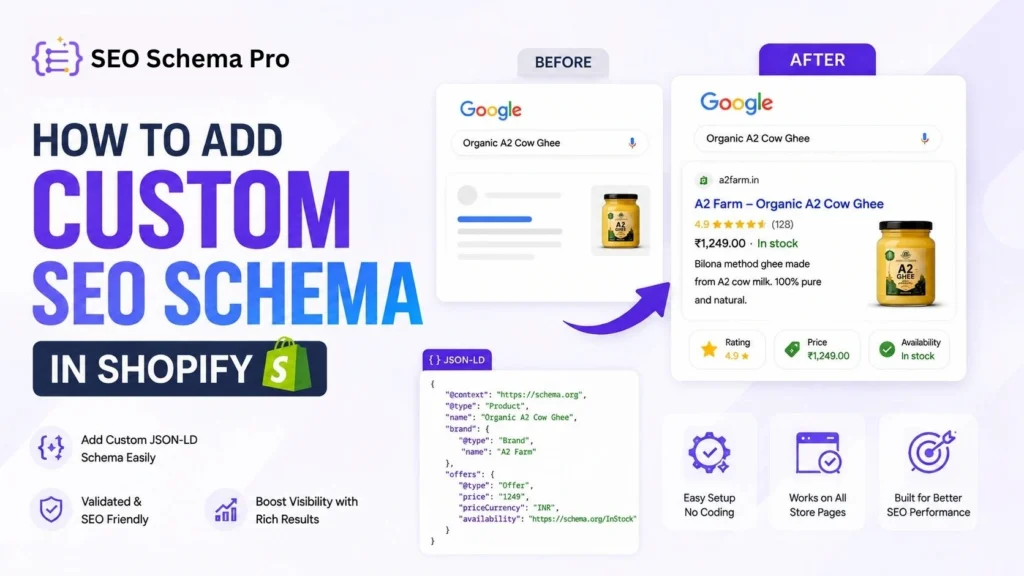
If you run a Shopify store, you may have heard terms such as schema markup, structured data, and JSON-LD. These terms describe machine-readable information that helps search engines understand what a page is about.
For ecommerce websites, structured data can describe products, prices, availability, reviews, breadcrumbs, business information, articles, and other entities. Google says structured data can help make pages eligible for certain enhanced search appearances, although valid structured data does not guarantee that a rich result will appear.
This guide explains how to add custom SEO schema in Shopify, when manual implementation makes sense, how to validate schema, and how SEO Schema Pro can simplify the process.
What Is SEO Schema Markup?
SEO schema markup, commonly called structured data, is a standardized format for describing the meaning and important attributes of a webpage to search engines. JSON-LD is Google’s recommended format for implementing structured data in most cases.
For example, a Shopify product page can describe the product name, brand, image, SKU, price, currency, availability, and other relevant information through Product structured data.
Why Is Schema Important for Shopify SEO?
Structured data gives search engines additional, machine-readable context about a page. For ecommerce stores, this can improve the accuracy with which search engines understand products and other store content.
However, schema markup should not be treated as a guaranteed ranking boost. Google states that structured data enables eligibility for search features but does not guarantee that those features will be displayed.
Helps search engines understand page entities and their attributes.
Can make eligible pages available for supported rich-result experiences.
Provides clearer product information for ecommerce search features.
Creates a structured foundation for technical SEO.
Can reduce ambiguity around products, organizations, breadcrumbs, and articles.
What Is JSON-LD?
JSON-LD is a JSON-based format used to embed structured data into a webpage. It is generally easier to maintain than placing schema properties throughout visible HTML.
<script type=”application/ld+json”>
{
“@context”: “https://schema.org”,
“@type”: “Product”,
“name”: “Organic A2 Cow Ghee”,
“brand”: {
“@type”: “Brand”,
“name”: “A2 Farm”
},
“offers”: {
“@type”: “Offer”,
“price”: “1249”,
“priceCurrency”: “INR”,
“availability”: “https://schema.org/InStock”
}
}
</script>
How to Add Custom SEO Schema in Shopify
Method 1: Add Schema Manually Using Shopify Theme Code
If you are comfortable with Shopify Liquid, you can implement JSON-LD directly in your theme.
Step 1: Open Shopify Admin
Go to Shopify Admin → Online Store → Themes.
Step 2: Open Edit Code
Open the theme options and select Edit code.
Step 3: Choose the Correct Template
Place the structured data in the template or section that represents the page you are describing. Product schema should describe a product page; Article schema should describe an article, and so on.
Step 4: Add JSON-LD
Add your JSON-LD inside a script tag with type application/ld+json.
Step 5: Make the Data Dynamic
For a Shopify store, use Liquid data where appropriate so product names, URLs, images, prices, SKUs, and availability can update automatically.
Step 6: Test the Live Page
After publishing, validate the live URL with Google’s Rich Results Test and inspect the rendered page source.
Method 2: Add Custom Schema with SEO Schema Pro
SEO Schema Pro is a Shopify app designed to simplify JSON-LD and structured-data management without requiring merchants to repeatedly edit theme code. According to its Shopify App Store listing, it can generate schema from Shopify products, collections, pages, and blogs, provide a visual editor, accept custom JSON-LD, validate schema before saving, and inject published markup through a Theme App Embed.
This makes it useful when a merchant wants centralized schema management or needs custom structured data without building and maintaining every implementation manually.
Step 1: Install SEO Schema Pro
Install the app from the Shopify App Store and open it from your Shopify admin.
Step 2: Select the Content Type
Choose the Shopify resource you want to work with, such as products, collections, pages, blogs, or articles.
Step 3: Create or Customize the Schema
Use the available schema configuration or add your own JSON-LD. The app’s listing describes a visual editor and custom JSON input.
Step 4: Validate Before Publishing
Check the generated schema for valid JSON, correct URLs, accurate product information, and required properties.
Step 5: Enable the Theme App Embed
SEO Schema Pro uses a Theme App Embed to make its schema available on the live storefront. Enable the required app embed in the active theme.
Step 6: Verify the Live Store
Open the live page, inspect its source for application/ld+json, and test the URL with Google’s structured-data testing tools.
Which Schema Types Are Useful for Shopify Stores?
| Schema Type | Common Use | Typical Shopify Page |
| Product | Product details, offers, availability, brand and related information | Product page |
| Organization | Business identity and organization information | Store/business pages |
| BreadcrumbList | Page hierarchy and navigation context | Product, collection and content pages |
| Article | Article headline, author, dates and images | Blog/article page |
| LocalBusiness | Physical/local business details | Local business pages |
| WebSite | Website-level information and identity | Store website |
How to Create Custom JSON-LD for Shopify
Start by identifying the primary entity of the page. A product page should normally focus on Product structured data, while a blog post may use Article structured data. Then add properties that accurately describe information visible on the page.
Do not copy a generic schema template and fill it with information that is not actually present. Google’s structured data guidelines require that the markup accurately represent the page content.
{
“@context”: “https://schema.org”,
“@type”: “Article”,
“headline”: “How to Choose the Best Ghee”,
“author”: {
“@type”: “Person”,
“name”: “Author Name”
},
“datePublished”: “2026-08-27”,
“image”: “https://example.com/article-image.jpg”
}
How to Validate Shopify Schema
Use Google’s Rich Results Test to check supported structured-data eligibility and technical issues.
Use Google Search Console and URL Inspection to understand how Google can access and process the page.
Inspect the live page source and search for application/ld+json.
Check that structured-data values match the visible content on the page.
Re-test important templates after theme or app changes.
Common Shopify Schema Mistakes to Avoid
Duplicate Schema
Your theme, SEO app, review app, and custom code can all potentially output structured data. Check what is already present before adding another implementation.
Incorrect Prices or Availability
Structured data should match the information customers see on the page. Avoid stale price or stock values.
Hidden or Irrelevant Content
Do not mark up information that is hidden from users or unrelated to the page.
Wrong Schema Type
Choose a schema type that genuinely represents the page. More schema is not automatically better.
Missing Required Properties
For rich-result eligibility, include the required properties for the specific structured-data feature you are targeting.
Assuming Rich Results Are Guaranteed
A valid implementation can make a page eligible for a feature, but Google decides whether and when that feature appears.
SEO Schema Pro: Key Features
SEO Schema Pro’s current Shopify App Store listing describes the following capabilities:
- Automatic JSON-LD generation from Shopify products, collections, pages, and blogs.
- Visual schema editing and custom JSON-LD input.
- Validation and preview before publishing.
- Theme App Embed for storefront injection.
- Free plan available.
- Pro plan with unlimited products and collections, unlimited pages/blogs/articles, AI-assisted schema creation and fixing, additional custom JSON-LD schemas, WebSite and LocalBusiness schemas, and priority support.
The Shopify App Store currently lists the Pro plan at $7.99/month or $86.29/year, with a 5-day free trial. Pricing and features can change, so merchants should verify the current listing before purchasing.
Manual Schema vs SEO Schema Pro
| Capability | Manual Implementation | SEO Schema Pro |
| Coding required | Usually | Minimal for common workflows |
| Custom JSON-LD | Yes | Yes |
| Shopify data integration | Requires development | Built around Shopify data |
| Visual schema management | No | Yes |
| Validation workflow | Manual | Built in before publishing |
| Theme editing | Usually required | Not required for basic app workflow |
| Scalable management | Depends on implementation | Designed for centralized management |
Frequently Asked Questions
What is custom SEO schema in Shopify?
Custom SEO schema is structured data, commonly implemented as JSON-LD, that gives search engines machine-readable information about a Shopify page.
How do I add custom JSON-LD to Shopify?
You can add JSON-LD manually through Shopify theme code or use a schema app such as SEO Schema Pro to create and manage custom structured data.
Does schema markup improve Google rankings?
Schema markup does not guarantee higher rankings. Its main SEO value is helping search engines understand page content and making eligible pages available for supported enhanced search features.
Can I add custom schema without coding?
Yes. A Shopify schema app can provide a no-code or low-code workflow for creating and publishing structured data.
Should I use multiple schema apps?
Be cautious. Multiple apps can produce overlapping or duplicate markup. Audit existing schema before adding another tool.
How do I check whether my Shopify schema is working?
Test the live URL with Google’s Rich Results Test, inspect the page source for JSON-LD, and monitor relevant reports in Google Search Console.
Conclusion
Adding custom SEO schema to Shopify is a technical SEO task that can be handled manually with Liquid or simplified with a dedicated schema app. The right approach depends on your technical skills, store size, and the level of control you need over structured data.
SEO Schema Pro is designed for Shopify merchants who want to create schema from Shopify data, customize fields, add custom JSON-LD, validate it before publishing, and deploy it through a Theme App Embed.
The key principle is accuracy: use structured data that genuinely describes the page, keep important properties complete and up to date, and avoid duplicate or misleading markup.
